
1. What Is a Scam Website?
In simple terms, a scam website is a site that’s designed to deceive or to trick visitors into believing it’s legitimate, so they give away personal data, pay money for fake goods, or download harmful software.
Scammers often use very convincing tactics: the site may look like a well-known brand, the layout may be polished, and the content may feel professional.
But behind that familiar façade lurk malicious intents phishing for your personal information, stealing your money or infecting your device with malware.
For example, you might receive an email that says, “Limited-time only – click here to claim your reward!” The link lands you on a site that looks real, but once you enter your credit card or login credentials, that data is harvested by fraudsters.
Because these sites can look so real, it’s often difficult to trust them just by appearance. That’s why scam website checkers are becoming increasingly critical tools for anyone who shops, browses or transacts online.
This means that if you feel hesitant about a website before performing a transaction, you can use scam website checker to verify its safety or obtain a professional security review.
2. Types of Scam Websites
Scam websites are not all the same. Understanding the different types helps you know what to watch for. Here are some common varieties:
| Scam Type | Description | Key Risk/Goal |
| Phishing Sites | Deceptive replicas of trusted entities (like banks, email providers or tech companies) designed to steal sensitive credentials. They are often visually identical to the genuine site. | Stealing Usernames, Passwords, Financial Details. |
| Fake Shopping Websites | Fraudulent e-commerce stores that lure customers with unbelievable discounts. After payment, purchased items are either never shipped or are cheap, counterfeit goods. | Financial Loss and Receiving Counterfeit Products. |
| Discount Landing Page Scams | Websites offering deals that are too good to be true. These are often preliminary steps to either phishing attempts or soliciting immediate payment information under false pretenses. | Stealing Payment Information or Phishing. |
| Malware Sites | Websites designed to automatically infect your device with malicious software (malware, viruses, spyware) upon visiting, often without requiring any user interaction or purchase. | System Compromise and Data Theft. |
| Clone / Impersonation Websites | Near-identical copies of legitimate websites that use subtle differences in the domain name (e.g., a typo or an alternative TLD like .net instead of .com). | Identity Theft and Confusion-based Fraud. |
| Fake Investment / Financial Scams | Sites that promote fraudulent schemes promising high returns, low risk, or guaranteed profits, frequently featuring fake cryptocurrency, stock, or foreign exchange opportunities. | Major Financial Loss through speculative fraud. |
| Charity Scams | Websites set up during crises or fundraising seasons that impersonate legitimate charities. They trick users into making donations that are diverted to the scammer. | Exploiting goodwill for Financial Gain. |
| Advance-Fee Scams | These sites require users to pay a small “processing fee,” “insurance cost,” or “registration charge” upfront to receive a much larger, promised reward (e.g., a prize, a loan or a guaranteed job). The promised benefit never materializes. | Loss of Small Fees that add up for the scammer. |
| Fake Travel or Booking Websites | Fraudulent websites mimicking legitimate airlines, hotels or travel agencies. Users pay for accommodations or flights that do not exist, receiving bogus confirmation details. | Financial Loss and Disruption of Travel Plans. |
Read more: The Rise of Deepfake Scams: What They Are and How to Detect and Prevent AI-Powered Fraud
3. The Best Scam Website Checkers (2025 Edition)
To navigate this tricky landscape, here are 5 best scam website checkers you can use in 2025.
Each tool is free (or at least has a free component) and they are credible, well-known and fairly accurate though no tool is perfect.
3.1 ScamAdviser.com
What it does:
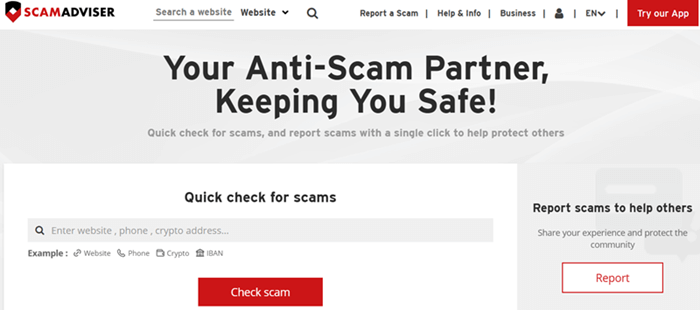
ScamAdviser helps you check whether a website might be risky or legitimate by using a “Trust Score.” It analyzes over 40 independent data sources including domain age, owner identity, reviews, server location and more.
Why it’s great:
- Long-established: founded in 2012.
- Uses multiple signals (not just one), making its risk evaluation more reliable.
- Offers transparency: how the score is derived, and its limitations, are explained.
- No private user info is required, it’s free to use for anyone.
Credibility & accuracy:
- It is widely used. The site reports handling 3 millions of consumer requests each month.
- However, it is not flawless: some business owners have complained about low Trust Scores even when legitimate.
- There are negative reviews: some argue its algorithm penalizes sites with private WHOIS registrations unfairly.
- But ScamAdviser itself defends this by clarifying that domain privacy can hide legitimacy, and it’s a risk factor.
Visit ScamAdviser.com to check scam website!
3.2 GetSafeOnline.org
What it does:
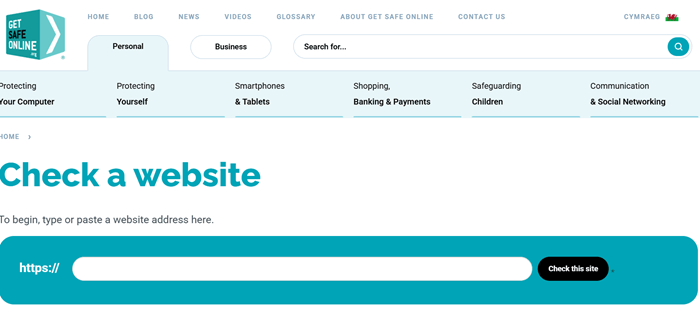
Get Safe Online, a UK-based consumer safety service, offers a “Check-a-Website” tool. You just paste in a URL and it returns a simple assessment: likely safe or potentially a scam.
Why it’s great:
- Very easy to use — no accounts, no fees.
- Backed by UK partners: Get Safe Online collaborated with Cifas (a fraud prevention service) to build this tool.
- Also offers “Ask Silver,” an AI-powered scam checker where you can upload screenshots (e.g., of an email or webpage) to detect suspicious content.
- Education-focused: part of Get Safe Online’s broader mission to raise public awareness.
Credibility & accuracy:
- Because the tool is run by a non-profit / consumer-protection-oriented organization, its goal is trust and safety not profit.
- It’s AI “Ask Silver” tool is newly launched (2025) but promising; it allows users to drag and drop images or screenshots to detect scams.
- While it may not go as deep as some technical tools (e.g., blacklists) it offers a good first line of defense especially for non-technical users.
Visit GetSafeOnline.org to verify scam website!
3.3 URLVoid.com
What it does:
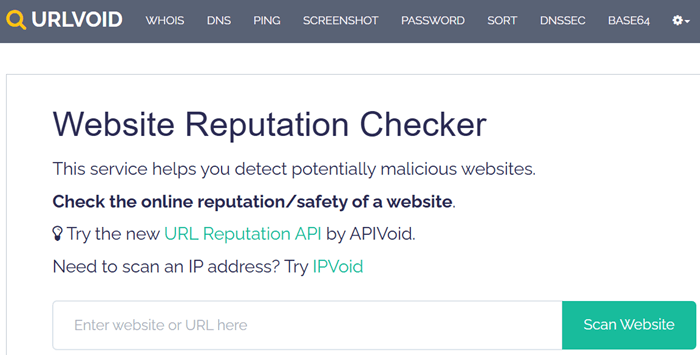
URLVoid is a reputation-scanner that checks the submitted domain against more than 30 blocklist engines and reputation services. It also provides technical details such as DNS, IP, domain age and more.
Why it’s great:
- Comprehensive: aggregates data from many sources, giving you a consolidated view.
- Transparent: shows which blacklists flagged the domain and why.
- Free to use and also provides an API for more advanced or commercial use.
- Trusted by security researchers: URLVoid is used by cybersecurity professionals, CERTs, and educational institutions.
Credibility & accuracy:
- Because it relies on many independent engines, it tends to have broad coverage, especially for known malicious domains.
- That said, even if all engines show “no detection,” it’s not a guarantee. URLVoid itself warns that a clean report doesn’t mean absolute safety.
- The data is up-to-date: you can re-scan a URL if the report is old.
Visit URLVoid.com to check scam website!
3.4 ScamVoid.net
What it does:
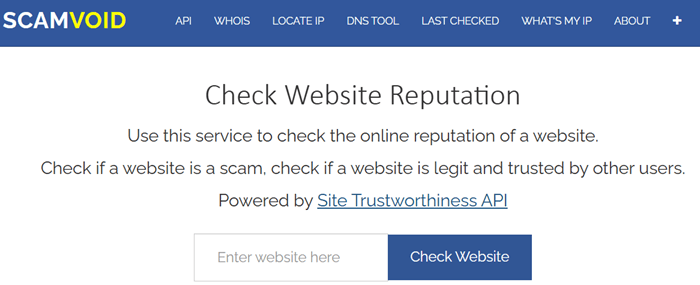
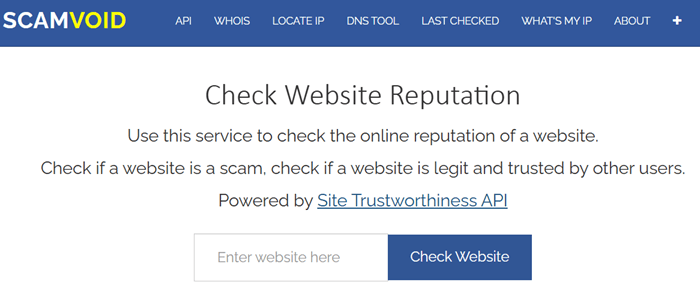
ScamVoid provides a reputation check using the Web of Trust (MyWOT) service, domain blocklists, domain age (WHOIS), IP analysis and user comments.
Why it’s great:
- Uses community input (MyWOT) and technical blocklist data, giving both subjective and objective perspective.
- Lets users comment on domain reputation, which can help others learn from real experiences.
- Provides WHOIS lookup tool: you can easily check how old a domain is, who registered it and other technical details.
- Gives a “trustworthiness value” that is easy to interpret.
Credibility & accuracy:
- According to its own scan for its website, ScamVoid shows no blocklist detections, and notes that its domain was created several years ago a good sign.
- The combination of crowd-sourced trust (WOT) and blocklist engines helps reduce false positives/negatives.
- That said, MyWOT is based on user ratings, so it can be influenced by user bias; always interpret the trustworthiness score in context.
Visit ScamVoid.net to verify scam website!
3.5 ScamChecker.ie (by FraudSMART)
What it does:
ScamChecker.ie is a tool developed by FraudSMART (Banking & Payments Federation Ireland) specifically for checking links and websites.
It compares the URL against a real-time database of known scam sites and malware hosts.
Why it’s great:
- Built by a trusted institution: FraudSMART is a consumer fraud-awareness initiative backed by Irish banks.
- Real-time protection: ScamChecker.ie is continuously updated with data on newly discovered scam websites.
- Easy to use: designed for everyday consumers, not just tech-savvy users.
- Campaign-backed: FraudSMART uses ScamChecker.ie as part of their public education campaigns to reduce fraud.
Credibility & accuracy:
- According to FraudSMART’s own research, a significant number of online shoppers in Ireland have fallen victim to scams and ScamChecker.ie is one of their recommended tools.
- Its real-time database means it is fairly current, so you’re not checking against outdated lists.
- However, as with any tool, it’s only one layer of defense: it’s best used alongside other practices (like checking reviews, SSL and whois).
Click here to use free scam checker website by ScamChecker.ie!
4. What You Should Do If You Suspect a Scam Site (by Region)
Knowing how to check a website is only part of the solution. If you find a suspicious site, here’s what you should do depending on where you are.
4.1 If You’re in the United States of America (USA)
Report to the FTC – Use ftc.gov/complaint to report fraudulent websites, scam emails or phishing pages. The U.S. Federal Trade Commission helps log and investigate consumer fraud.
Use the IC3 – If it’s a severe scam (like investment fraud or identity theft), report it to the Internet Crime Complaint Center (IC3).
Inform your bank / payment provider – If you paid money, contact your bank, credit card issuer or payment platform immediately and ask about chargebacks or refunds.
Protect yourself
- Change passwords if you entered any login info.
- Scan your device for malware.
- Enable two-factor authentication (2FA) on your accounts.
4.2 If You’re in the United Kingdom (UK)
Report to Action Fraud – Action Fraud is the UK’s national reporting centre for fraud and cybercrime. Log the scam on their website.
Notify your bank – Let them know how you paid, so they can help you block transactions or investigate refunds.
Raise awareness
Tell friends, family especially the elderly about what happened. Forward links (safely) to warn them.
4.3 If You’re in Australia
Report to Scamwatch – The Australian Competition & Consumer Commission (ACCC) runs Scamwatch, where you can log online scams and get tailored advice.
Contact your bank – Similar to elsewhere, report suspicious payments immediately and ask about chargeback mechanisms.
Use government cyber safety sites – Websites like Stay Smart Online provide guidance, and you can check suspicious links using tools above.
Stay alert – Keep your antivirus, browser and OS up to date. Use strong, unique passwords for financial and email accounts.
4.4 If You’re in Asia (or elsewhere)
Given Asia is diverse and different countries have different authorities, here are more general steps:
Find your local cybercrime or consumer protection body – Many countries have specific agencies for online fraud.
For example, Singapore has the Cyber Security Agency of Singapore (CSA); Malaysia has CCID Cyber Crime.
Report to your bank – Always inform your bank or payment provider about suspicious payments.
Use reputable scam checkers – Even if local tools aren’t available, global tools like ScamAdviser or URLVoid still work effectively.
Educate your circle – Share what you’ve learned with family (especially older relatives).
Show them how to check links, validate websites and use tools like ScamChecker.ie or URLVoid in their daily online use.
Read more: Gold Scam: Woman Loses S$412,000 in Gold After Falling for Fake Government Officials
5. Tips for Staying Safe (Beyond Checkers)
Using scam website checkers is one critical layer, but here are other good habits to adopt:
- Always check URL carefully: Look for subtle typos or strange domain names.
- Look for HTTPS and a padlock: This doesn’t guarantee safety, but a missing padlock is a big red flag.
- Use a credit card: Credit card companies often provide better consumer protection than direct bank transfers.
- Be skeptical of “too-good-to-be-true” offers: If a deal is unbelievably cheap or generous, pause and verify.
- Keep software up to date: Your browser, OS and antivirus should always be current.
- Educate others: Teach colleagues, friends, and family about scam risks especially if they are less tech-savvy.
- Use multi-layer verification: Use site checkers, plus WHOIS lookups, plus reviews don’t rely on just one tool.
HackWarn Case Study – Does This Scam Website Checkers Really Work?
To assess the accuracy and reliability of the above scam checkers website, HackWarn has tested it using three different domains, each representing a distinct real-world scenario:
- Domain 1: bedbathclose[.]com – A site widely reported by internet users as a scam shopping website.
- Domain 2: weekendearn[.]com – A legitimate job board platform used as a control example.
- Domain 3: smart2returns[.]com – A domain identified by the Securities Commission Malaysia as a potential clone website operating an illegal investment scheme promising unusually high returns.
The result shown as follows:
| Scam Website Checker | Domain 1: bedbathclose[.]com | Domain 2: weekendearn[.]com | Domain 3: smart2returns[.]com |
|---|---|---|---|
| ScamAdviser.com | Potential scam | Safe | Potential scam |
| GetSafeOnline.org | Potential scam | Safe | Potential scam |
| URLVoid.com | Potential scam | Safe | Safe |
| ScamVoid.net | Potential scam | Safe | Potential scam |
| ScamChecker.ie | Potential scam | Safe | Potential scam |
HackWarn Feedback
Based on the results above, the website demonstrated a consistent ability to detect potential scam websites across all tested domains.
The URLVoid.com result for smart2returns[.]com can be considered less critical, as most other tools provided similar assessments.
While these tools indicate whether a website appears scam or safe, users should still perform a manual verification.
This includes reviewing the site’s content, checking its SSL certificate, and evaluating any offers before engaging or making payments.
But remember: no tool is 100% perfect. Use these checkers along with good judgment, cautious habits, and the readiness to act quickly if something feels off.
Scam websites are an evolving threat. Whether it’s phishing, fake shopping sites, or cloned domains, scammers are constantly adapting.
In 2025, having reliable tools to check website legitimacy is not a luxury, it’s a necessity.
The five tools highlighted which are ScamAdviser, GetSafeOnline, URLVoid, ScamVoid, and ScamChecker.ie offer a mix of technical detection and user-friendly reporting.
Each has its strengths, and when used wisely, they can help protect executives, professionals and older adults alike from falling prey to online fraud.
Stay safe, stay informed and always verify before you trust.
5 thoughts on “5 Best Scam Website Checkers to Verify Legitimacy in 2025 (With Case Studies)”